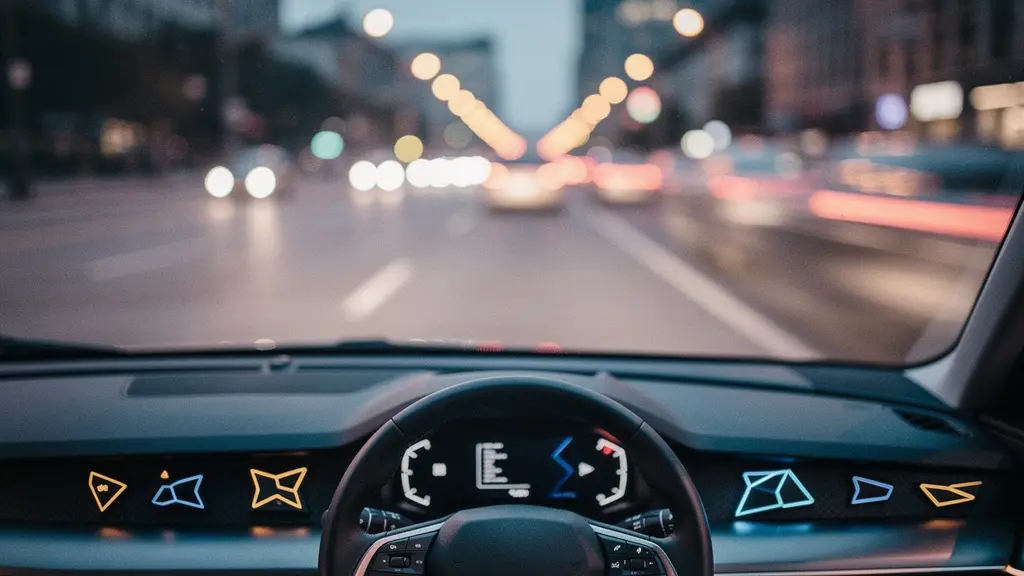
The promise of total safety from modern car tech is a myth; its real value comes from the driver’s ability to master it, not blindly trust it.
- Many expensive ‘safety’ features offer minimal benefit in typical city driving and come with high hidden repair costs.
- Mastering your car’s settings to reduce ‘alert fatigue’ is more crucial for safety than leaving all warnings on high.
Recommendation: Treat your car’s technology like a new skill to be learned. Invest an hour in a quiet car park to customise settings and understand what each alert truly means.
Stepping into a new car today can feel like sitting in a consumer electronics showroom. Screens have replaced dials, and a constant symphony of beeps and chimes promises to shield you from every conceivable danger. Manufacturers sell us a vision of an infallible technological bubble, where Advanced Driver Assistance Systems (ADAS) act as a guardian angel. We’re told these features make driving safer, simpler, and more secure. But for many traditional drivers, the reality is a confusing and often irritating experience that raises a critical question: is this technology a genuine co-pilot or just an expensive, distracting backseat driver?
The common advice is to tick all the option boxes and trust that the car knows best. However, this ignores the growing problem of cognitive load—the mental energy we expend interacting with complex touchscreens—and the very real ‘alert fatigue’ that can cause us to tune out critical warnings. The truth is, these systems are not a substitute for an attentive driver. Their effectiveness is not a given; it’s a partnership that requires understanding, customisation, and a healthy dose of skepticism. This is not about rejecting technology, but about mastering it.
This guide, written from an engineer’s perspective, will cut through the marketing noise. We will analyse the real-world utility of expensive tech packs, show you how to tame intrusive alerts, and provide a clear framework for deciding when and how to update your car’s software. The goal is to transform you from a passive user into a proficient operator who uses technology to enhance your awareness, not replace it. Because the safest computer on board is still a well-informed and engaged human brain.
To navigate this complex topic, we will break down the most pressing concerns for drivers today. This article will explore the practical value, the hidden costs, and the essential skills needed to truly benefit from your car’s advanced systems.
Summary: A Critical Look at Modern Automotive Technology
- £2000 Tech Pack: is it really useful for a city car?
- How to disable intrusive audio alerts without compromising safety?
- Native voice command or Smartphone: who understands the British accent best?
- The inattention error linked to touchscreens that causes 30% of urban collisions
- When to update your onboard system to avoid critical bugs?
- Remote update: should you do it right away or wait for feedback?
- City braking vs pedestrian: does your system really detect everyone?
- How to anticipate dangers on the road before they happen?
£2000 Tech Pack: is it really useful for a city car?
That optional £2000 technology pack is presented as an essential upgrade for safety and convenience. But as an engineer, I urge you to look at the value proposition with a critical eye, especially if you primarily drive in an urban environment. Many high-tech features included in these packs, like Adaptive Cruise Control and Lane Keeping Assist, are designed for motorway driving. In stop-and-go city traffic, their utility diminishes significantly, yet you’re paying the full price. The real question is whether the features that *are* useful for city driving justify the total cost of the package.
Features like a 360° camera and Rear Cross-Traffic Alert are genuinely beneficial for navigating tight parking spaces and busy supermarket car parks. However, it’s crucial to consider the hidden, long-term costs. The sophisticated sensors for these systems are often embedded in bumpers and windscreens. A minor parking knock or a stone chip on the glass can lead to shockingly high repair bills. For instance, replacing an ADAS-equipped windscreen can cost upwards of $1,000, compared to a few hundred for standard glass, due to the need for precise recalibration of the sensors. Before you tick the box, weigh the daily convenience against the potential for a four-figure repair bill from a simple mishap.
| Feature | City Driving Value | Highway Value | Replacement Cost Risk |
|---|---|---|---|
| 360° Camera | High – parking assistance | Low | $500-800 |
| Rear Cross-Traffic Alert | High – parking lots | Low | $514-580 |
| Adaptive Cruise Control | Low – stop-and-go traffic | High | $400-600 |
| Lane Keeping Assist | Low – lower speeds | High | $300-500 |
How to disable intrusive audio alerts without compromising safety?
The constant beeping of modern cars can be more than just an annoyance; it can lead to a dangerous phenomenon known as ‘alert fatigue’. When a driver is bombarded with warnings for every minor event—getting too close to a white line, a car in the blind spot, a perceived obstacle—the brain starts to tune them out. The incessant noise becomes background chatter, and when a truly critical alert sounds, it may not register with the urgency it deserves. The goal is not to drive in silence, but to curate your alerts so that only the most important ones command your immediate attention. True safety comes from clarity, not noise.
Your vehicle’s infotainment system is the control centre for achieving this. Dive into the ‘Vehicle Settings’ or ‘Driver Assistance’ menu. You don’t have to turn systems off entirely. Instead, look for sensitivity adjustments. For Lane Departure Warning, try switching from ‘High’ to ‘Medium’ or ‘Low’ sensitivity. This often stops it from nagging you on narrow country lanes while still providing a nudge on the motorway. More importantly, many systems allow you to switch from an audible alert to a haptic one—a vibration in the steering wheel or seat. This is far less intrusive and can be more intuitive, getting your attention without adding to the cabin’s noise pollution. Customising these settings is the first step toward turning your car from a nervous passenger into a calm, effective co-pilot.
Drivers need to understand that these systems work best when paired with your full attention – technology can fail, sensors can be blocked, and systems can misinterpret road conditions
– AAA Safety Research, Top Car Safety Features Revolutionizing Modern Driving
Native voice command or Smartphone: who understands the British accent best?
The promise of seamless voice control is compelling: « Call Mum, » « Navigate to the nearest petrol station, » « Play BBC Radio 2. » But for many British drivers, the reality is a frustrating back-and-forth with a system that seems to have learned English in California. Automakers have invested heavily in their native voice command systems, but they often struggle with the rich diversity of UK accents, from Geordie to Glaswegian. This can turn a simple command into a dangerous distraction as you repeat yourself, your eyes darting to the screen to see if it finally understood « Leicester » instead of « Lester. »

This is where smartphone integration like Apple CarPlay and Android Auto becomes the superior choice. Companies like Google and Apple have spent over a decade collecting voice data from billions of users worldwide. Their algorithms have a vastly larger and more diverse dataset of accents, dialects, and colloquialisms. As a result, they are significantly more proficient at understanding a natural British speaking voice than a car manufacturer’s proprietary system, which has a much smaller user base. With the number of connected vehicles rapidly growing— industry projections indicate 150 million on the road by 2025—the battle for voice supremacy is heating up. For now, however, plugging in your phone provides a more reliable and less frustrating experience. It leverages the powerful AI you already carry in your pocket, making it the smarter digital co-pilot.
The inattention error linked to touchscreens that causes 30% of urban collisions
While the headline figure often cited for touchscreen-related incidents can be as high as 30% in some reports, the core issue is undeniable: diverting your attention from the road to a screen is inherently dangerous. The sleek, buttonless dashboards of modern cars look futuristic, but they have traded tactile, muscle-memory-friendly controls for a visually demanding interface. Adjusting the fan speed or changing a radio station now often requires navigating through menus, a task that demands your eyes and your cognitive focus. This is a classic example of increased cognitive load.
A critical engineering failure in many of these systems is the lack of physical feedback. You can’t operate a touchscreen by feel. You have to look. A 2024 study highlighted the scale of the problem, revealing that 26% of drivers admitted making mistakes while using in-car touchscreens, such as selecting the wrong option. Each mistake prolongs the interaction and the time your eyes are off the road. Even a two-second glance away from the road at 30 mph means you’ve travelled over 26 metres completely blind. The solution lies in preparation. Before you set off, set your navigation, choose your playlist, and adjust the climate control. For functions you need to access while driving, use the physical buttons on your steering wheel or a reliable voice command system. Treat your central touchscreen as a tool to be used primarily when stationary.
When to update your onboard system to avoid critical bugs?
The notification for a new software update can feel urgent, promising new features and essential fixes. However, blindly accepting every update the moment it’s released is not always the wisest strategy. Just like with computer or phone software, the first version of a major automotive update can sometimes introduce new bugs. These can range from minor annoyances, like the radio presets being wiped, to more serious issues, such as problems with the navigation system or even core vehicle functions. A smart approach is to practice what I call a ‘calculated delay’, especially for non-critical feature updates.
Critical security patches should always be installed immediately. These are designed to fix vulnerabilities that could compromise the vehicle’s safety or security. Manufacturers will usually label these clearly. For general feature or stability updates, however, it’s prudent to wait a couple of weeks. Use this time to check online forums for your specific car model. Owners’ clubs and enthusiast forums are invaluable sources of real-world feedback. Drivers will quickly report if an update is causing problems with battery drain, system crashes, or connectivity. By waiting for this initial feedback, you let the most eager users act as beta testers, allowing you to install the update with much greater confidence once it’s proven to be stable. This balances the need to stay current with the need to avoid unnecessary disruption.

Your Safe Update Strategy Checklist: When to update
- Wait 2-4 weeks after a non-critical update is released to monitor user forums for bug reports.
- Check the manufacturer’s official changelog to distinguish between critical security patches and optional feature updates.
- Ensure the vehicle has a full battery (or is connected to a charger) before beginning the installation process.
- Park in a location with a strong and stable Wi-Fi or cellular signal to prevent a corrupted download.
- Take a screenshot of your current system version and key settings before you start, just in case a rollback is needed.
Remote update: should you do it right away or wait for feedback?
Over-the-air (OTA) updates represent a huge leap forward in automotive engineering, allowing manufacturers to fix bugs, enhance features, and even improve performance without you ever visiting a dealer. However, this convenience also introduces a new set of considerations for the owner. As discussed, the key question is not just *if* you should update, but *when*. The dilemma is whether to trust the manufacturer implicitly and install immediately, or to wait for the community of fellow owners to provide real-world feedback.
The answer depends on the type of update. If the release notes specify it’s a critical safety update—addressing issues with braking software, airbag deployment logic, or ADAS sensor calibration—the advice is to install it as soon as possible. These are not optional. However, for updates that introduce new infotainment apps, change the user interface, or promise minor performance tweaks, the ‘wait and see’ approach is often wiser. A failed or buggy OTA update, while rare, can be highly disruptive. In a worst-case scenario, it could leave the vehicle in a ‘safe mode’ with limited functionality, requiring a trip to the dealership to resolve—the very thing OTA updates are meant to avoid. By letting a few weeks pass, you can verify from other owners that the update is stable and delivers on its promises, making an informed decision rather than a leap of faith.
City braking vs pedestrian: does your system really detect everyone?
Automatic Emergency Braking (AEB) with pedestrian detection is one of the most significant safety advancements in recent years. There’s no doubt that it saves lives. Studies confirm its effectiveness, showing that AEB with pedestrian detection can reduce pedestrian-related crashes by 27%. The system uses cameras and sometimes radar to identify a person in the vehicle’s path and apply the brakes if the driver doesn’t react. However, the term ‘detects everyone’ is a dangerous oversimplification that instills a false sense of security.

These systems have limitations. Their performance can be significantly degraded by factors like heavy rain, fog, snow, or even direct, low-sun glare, which can blind the camera. They are generally less effective at night, particularly if a pedestrian is wearing dark clothing. Furthermore, they are best at detecting pedestrians who are walking upright and crossing the road. A child who suddenly runs out from between parked cars, or a fallen cyclist, presents a much more complex scenario that the system may not interpret correctly or quickly enough. The National Highway Traffic Safety Administration (NHTSA) found that AEB can reduce rear-end collisions by up to 50%, but that’s a more straightforward scenario than the unpredictability of human behaviour. You must treat AEB as a last-resort safety net, not a primary method of collision avoidance. Your eyes and anticipation remain the most powerful safety tools you have.
Key Takeaways
- True safety comes from driver mastery over technology, not blind faith in it.
- Customising alerts to reduce ‘alert fatigue’ makes critical warnings more effective.
- Always weigh the daily convenience of a tech feature against its hidden, long-term repair costs.
How to anticipate dangers on the road before they happen?
The ultimate goal of all this technology is to help you avoid an accident. Yet, the most sophisticated safety system is still the one sitting in the driver’s seat. Technology should be viewed as an enhancement to your own defensive driving skills, not a replacement for them. Anticipating dangers is about developing a state of proactive awareness, using both your own senses and the information provided by your car’s sensors to build a complete picture of the environment around you.
Achieving this level of system proficiency means actively learning how your car communicates. Don’t wait for a real emergency to discover how your AEB feels when it activates; find a safe, empty car park to practice emergency braking and feel the system kick in. Understand the different sounds and vibrations for each warning. Use your blind spot monitors as a confirmation tool, but never as a substitute for a proper shoulder check before changing lanes. Ensure your mirrors are correctly positioned to minimise blind spots in the first place. This fusion of classic defensive driving techniques with an educated use of modern technology is the true path to enhanced safety. It’s about looking further down the road, identifying potential hazards before they become immediate threats, and using your digital co-pilot to confirm what you already suspect.
By taking an active, critical, and educated approach to the technology in your car, you transform it from a source of confusion into a powerful tool that genuinely enhances your safety and control behind the wheel. The next step is to begin exploring your own vehicle’s settings with this new perspective.
Frequently Asked Questions about new car technologies
How can I tell if an update is critical for safety?
Critical safety updates typically address brake system software, airbag deployment timing, or sensor calibration issues. These are usually marked as ‘mandatory’ or ‘critical’ in the update description provided by the manufacturer.
What happens if an OTA update fails mid-process?
Most modern systems have rollback protection that preserves the previous software version if an update fails. However, the vehicle may enter a ‘safe mode’ with limited functionality, requiring dealer intervention to restore full operation.
Can I schedule updates for overnight installation?
Yes, most manufacturers now offer scheduled update options, allowing installation to take place during off-peak hours when the vehicle is parked, secure, and ideally connected to a home Wi-Fi network.