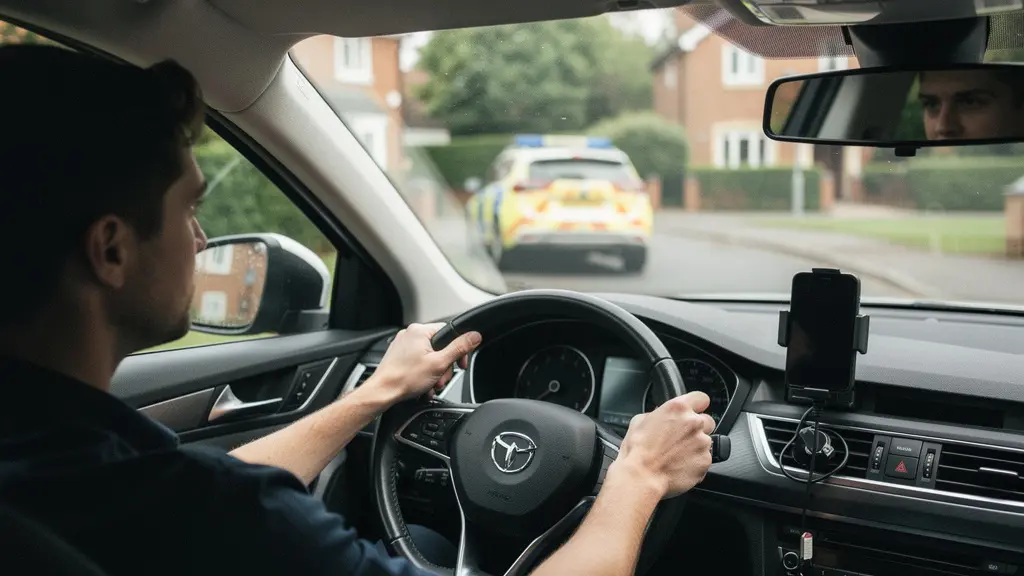
Proper phone positioning is not about convenience—it is about avoiding a £200 fine and potential disqualification.
- Any mount must sit outside your swept windscreen area and never obstruct your view of the road.
- Touching a mounted phone for navigation or music can still constitute « using » the device, risking six penalty points and a £200 fine.
- New drivers face immediate licence revocation for a single offence due to the 6-point threshold within two years of passing.
Recommendation: Audit your current setup against the MOT visibility standards before your next journey.
Most drivers assume that buying a phone mount solves their legal problems. They clip it to the windscreen, plug in the charger, and assume that « hands-free » means « worry-free. » This assumption is dangerous and expensive. In the United Kingdom, the law distinguishes sharply between holding a device and interacting with it, and the penalties for getting this wrong are severe—particularly for those who passed their test within the last 24 months.
The standard advice focuses on equipment: buy a sturdy mount, use Bluetooth, keep your eyes on the road. This misses the point. The critical issue is not the brand of your mount, but its position relative to your field of vision and your physical interaction with the screen. A poorly placed mount can fail an MOT, overheat your battery, or tempt you into a distracting touch that costs you your licence.
This guide approaches the problem as a risk assessment. We will examine the specific legal zones for windscreen placement, the physical stability required for UK road conditions, the thermal risks of summer positioning, and the precise legal boundaries of « touching » your device. The objective is to provide a framework for using your smartphone as a GPS without attracting the attention of traffic officers or compromising your safety.
To navigate this framework effectively, the following sections break down each technical and legal consideration into actionable steps.
Table of Contents: Legal Phone Positioning for UK Drivers
- Windscreen Suction Mount: Where to Legally Place It Without Breaking the Law?
- Air Vent vs Dashboard: Which Mount Can Withstand UK Potholes?
- Why Does a Windscreen Mount Kill Your Battery in the Summer?
- Touching the Screen to Accept a Route: Is It Still Illegal on a Mount?
- Are Magnetic Mounts Strong Enough for Large Smartphones?
- Touching the Phone on a Mount to Change a Song: Is It Allowed?
- Wireless CarPlay or Android Auto: How to Install a Reliable Adapter?
- How to Lose Your Licence From a Single Mobile Phone Offence?
Windscreen Suction Mount: Where to Legally Place It Without Breaking the Law?
The law is unambiguous: the device must not block your view of the road and traffic ahead. However, the practical application of this rule depends on understanding the MOT inspection standards for windscreen visibility. An obstruction in the « swept area »—the portion of the glass cleared by your wipers—attracts stricter scrutiny and can constitute a Major defect during testing.
Optimal placement sits low and to the passenger side, outside the primary cone of vision you use to track road hazards. Placing the mount centrally or high on the windscreen places it within your direct line of sight, creating both a legal liability and a cognitive distraction. The positioning must account for the driver’s seat height and posture; what clears the view for one driver may obstruct another’s.
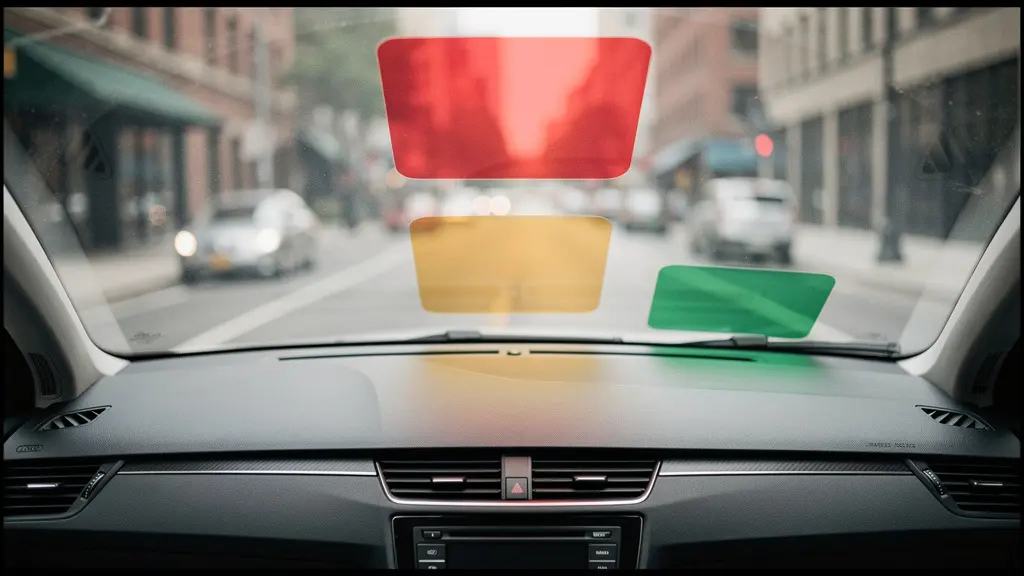
As illustrated, the upper central zone represents the highest risk, while the lower passenger-side corner typically remains within legal bounds. Before finalizing placement, verify that the mount does not interfere with airbag deployment trajectories or essential controls. A mount that shifts under vibration becomes a projectile in a collision.
MOT-Ready Windscreen Placement Checklist
- Sit in the driver’s seat and check whether any mount materially blocks your forward or side view through the windscreen.
- Identify the wiper swept area and treat it as the highest-risk zone for obstructions (MOT attention is stricter there).
- Keep mounts and accessories out of the driver’s primary viewing area; if an obstruction significantly affects the view through the swept area, it risks an MOT ‘Major’ defect.
- Before an MOT, remove temporary items (for example sat nav/air fresheners) if they could be judged as obstructing the driver’s view.
- Test the mount’s adhesion by simulating harsh braking; if it detaches, the surface preparation was insufficient or the location experiences excessive heat cycling.
Remember that temporary objects—air fresheners, parking permits, or dangling cables—compound obstruction risks. A clean, minimal installation is your strongest defence against both enforcement and accidents.
Air Vent vs Dashboard: Which Mount Can Withstand UK Potholes?
UK road surfaces present a specific mechanical challenge. RAC breakdown data highlights how real-world road surface defects can stress mounts and interior fixtures, with pothole-related incidents jumping significantly in recent quarters. A mount that holds firm on smooth tarmac may fail catastrophically when traversing a neglected B-road or urban crater.
Air vent mounts offer convenience but introduce unique risks. The slats are not structural; they are designed to direct airflow, not support mass. Under sustained vibration, plastic clips fatigue and the entire assembly can detach, sending the phone into the footwell precisely when you need to focus on vehicle control. Dashboard adhesive mounts distribute load more evenly but require pristine surface preparation and curing time.
From a legal perspective, you must stay in full control of your vehicle at all times. A mount that requires you to catch a falling phone mid-corner constitutes a loss of control. Gravity-based or weak magnetic holders fail this standard. The selection criteria must prioritize mechanical stability over ease of attachment.
Verify that your chosen position does not sit in front of or above an airbag deployment zone. In a collision, a phone propelled by a deploying airbag becomes a high-velocity projectile. Similarly, avoid placements that force you to reach across the steering wheel or obscure indicator stalks. The best mount is one you install once and never have to touch or adjust while the vehicle is in motion.
Ultimately, the dashboard surface—properly cleaned and prepared—provides a more stable foundation than vent slats for drivers regularly traversing damaged road networks.
Why Does a Windscreen Mount Kill Your Battery in the Summer?
The greenhouse effect within a parked vehicle creates extreme thermal conditions that degrade lithium-ion batteries rapidly. Recent experimental studies demonstrate that deck temperature reached 60.5°C during solar exposure periods, with cabin air temperatures exceeding 39°C. When your phone rests against the windscreen, it absorbs direct solar radiation while the glass traps infrared heat.
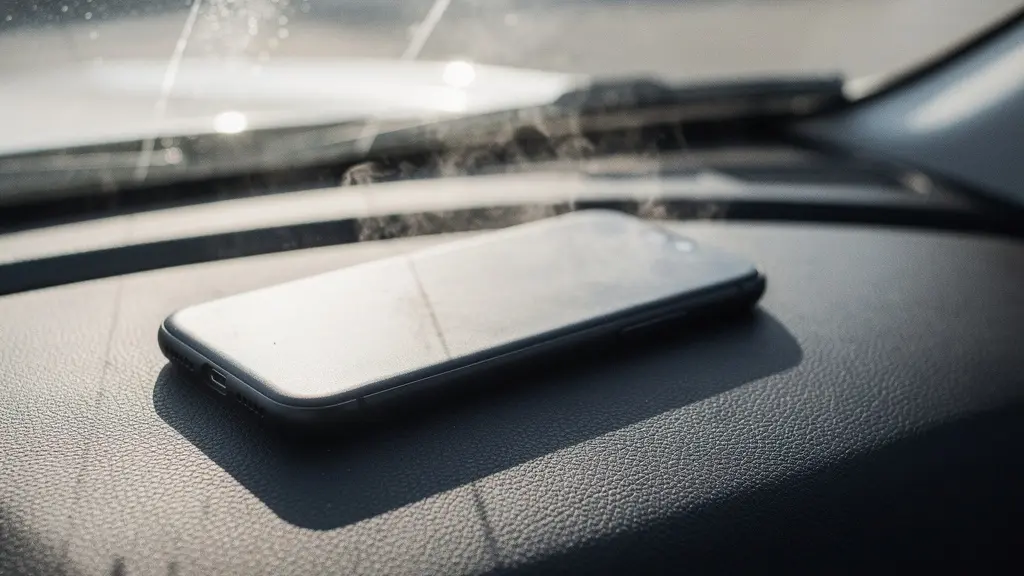
Modern smartphones include thermal throttling mechanisms that reduce charging speed or stop charging entirely above 35°C. Sustained exposure to temperatures above 45°C causes permanent capacity loss. A phone mounted on the windscreen during a summer traffic jam faces a dual threat: direct sunlight and the heat radiating from the dashboard surface itself.
Battery degradation is not merely an inconvenience; it creates a safety hazard. An overheating phone may shut down without warning, leaving you without navigation in an unfamiliar area. In extreme cases, thermal runaway can occur, though modern devices typically shut down before reaching critical temperatures. The pragmatic solution involves positioning the mount away from direct sunbeams, using sunshades when parked, and ensuring active ventilation flows across the device.
During heatwaves— recent Met Office statistics show UK conditions can reach temperatures that materially raise cabin and device heat load—consider removing the phone from the mount entirely when stationary. The cumulative effect of daily heat exposure will shorten your battery’s lifespan significantly if you maintain a windscreen-mounted position year-round.
Treat summer windscreen mounting as a temporary measure rather than a permanent installation to preserve both battery health and device reliability.
Touching the Screen to Accept a Route: Is It Still Illegal on a Mount?
The legal distinction between « holding » and « using » creates confusion. Using a mobile phone for navigation will continue to be legal, as long as it is kept in a cradle and not in the driver’s hand. However, the law does not grant unlimited permission to interact with the screen. If a police officer determines that your interaction caused you to drive without due care and attention, you face prosecution for careless driving regardless of the mount.
The threshold for « using » extends beyond holding. A prolonged gaze at the screen to accept a route suggestion, combined with a hand movement away from the steering wheel, can constitute distraction. The Highway Code emphasizes that you must exercise proper control of the vehicle at all times. If the road conditions require immediate steering input while your finger hovers over the « Accept » button, you are legally vulnerable.
The safest protocol involves programming your destination before engaging the handbrake. If you must reroute mid-journey, voice commands provide the only legally robust alternative. Single, brief taps—such as answering a call via Bluetooth—occupy minimal time, but even these require constant awareness of surrounding traffic. If the interaction cannot be completed in under two seconds without looking away from the road, you must pull over safely before proceeding.
Mount positioning directly affects this risk; a screen placed low and to the right forces longer eye-off-road time than one placed at dashboard height. The legal position is clear: the mount permits the phone to be present, but it does not license distraction.
Configure your device to announce directions audibly and disable notifications to eliminate the temptation to touch the screen while in motion.
Are Magnetic Mounts Strong Enough for Large Smartphones?
Magnetic mounts offer aesthetic minimalism but raise questions about holding force, particularly for modern flagship devices with large form factors and heavy cases. The strength of these systems depends on the magnet grade and the ferromagnetic interface between the phone and the mount head.
| Magnet Grade | Typical Maximum Energy Product (BHmax) | Practical Implication for Car Phone Mounts |
|---|---|---|
| N45 | 43–46 MGOe | Strong magnet grade; may require a larger magnet face or better plate placement for very heavy phones/cases. |
| N52 | About 50 MGOe (often described as ~50–53 MGOe) | Higher-grade material; can deliver more magnetic performance at similar size, improving stability for heavier devices. |
As shown, N52 grade neodymium provides superior flux density, but the practical holding force also depends on the thickness of any case between the magnet and the phone’s internal ferromagnetic plate. Thick protective cases significantly attenuate magnetic attraction. Additionally, Apple warns against placing credit cards or key fobs between your phone and magnetic chargers; the same caution applies to magnetic mounts if you use wallets or card holders on your device.
Before trusting a magnetic mount with an expensive device, test the hold by shaking the mounted phone vigorously while stationary. If the phone rotates or detaches under moderate force, the magnet strength is insufficient for your specific device weight. Vent-mounted magnetic bases compound this risk because the leverage of a heavy phone can torque the vent slats, causing sudden failure on bumps.
For large smartphones exceeding 200 grams, consider adhesive dashboard mounts or mechanical grips rather than magnetic solutions to ensure security on rough terrain.
Touching the Phone on a Mount to Change a Song: Is It Allowed?
The specific act of adjusting music falls under the broader prohibition against distracted driving. The Highway Code explicitly lists « starting or adjusting any music or radio » as a potential source of distraction that could lead to a prosecution. The fact that the phone is mounted does not automatically sanitize the interaction.
Rule 149 of the Highway Code was broadened in 2022 to clarify that using a hand-held mobile device covers almost any purpose, with limited exceptions for genuine emergency calls. While a mounted phone is not « hand-held, » the distraction principle remains. A 2022 House of Lords Library briefing explains that the offence carries six penalty points and a fine, reinforcing the strict approach required.
The « quick tap » to skip a track represents a high-risk moment. Your eyes leave the road, your hand leaves the wheel, and your cognitive focus shifts from traffic patterns to menu navigation. If this occurs while negotiating a junction or roundabout, an officer may construe it as driving without due care. The legal safest approach involves configuring playlists before departure and utilizing steering wheel controls or voice commands for any adjustments.
Many drivers mistakenly believe that if the phone is mounted, any brief interaction is de minimis and ignored by law enforcement. This is incorrect. While officers exercise discretion, the statutory framework permits prosecution for any interaction that demonstrably affects driving standards. The pragmatic position treats the mounted phone as a display only, not a touchscreen interface, while the vehicle is in motion.
Invest in vehicles or aftermarket head units with physical steering wheel controls to eliminate the temptation entirely.
Wireless CarPlay or Android Auto: How to Install a Reliable Adapter?
Wireless projection systems eliminate cable clutter but introduce compatibility complexity. Before purchasing any third-party wireless adapter, you must establish that your vehicle supports the wired version of the system natively. Android Auto works with over 500 models, but wireless functionality requires specific hardware capabilities in the head unit.
The installation protocol follows a strict sequence. First, confirm compatibility between your specific phone model and vehicle year. Second, establish a baseline connection using a high-quality USB cable to verify that wired projection functions without dropouts. Third, only after confirming stable wired operation, introduce the wireless adapter. This isolation procedure prevents conflating adapter faults with underlying compatibility issues.
Wireless adapters function by creating a local Wi-Fi network between the phone and the vehicle, bridged via Bluetooth for initial handshake. This introduces latency compared to wired connections. In areas with high radio frequency interference—urban canyons between tall buildings or near broadcast transmitters—the connection may stutter or drop, forcing you to revert to wired mode or reboot the system.
Positioning affects wireless reliability. If you place the phone in a door pocket or under items on the seat, the Bluetooth and Wi-Fi signals weaken, causing disconnection. The mount must keep the phone within the cabin’s central volume, away from metallic obstructions. Additionally, wireless charging combined with wireless projection generates significant heat; ensure the mount position allows airflow to prevent the thermal throttling issues discussed previously.
Retain a high-quality USB cable as a backup; wireless adapters can fail without warning, and you should not attempt to troubleshoot connectivity while driving.
Key Takeaways
- Position mounts outside the swept windscreen area to pass MOT standards and avoid fines.
- Interacting with any touchscreen while driving—even for a second—can result in 6 penalty points.
- New drivers face automatic disqualification with a single phone offence; treat your device as hands-off at all times.
How to Lose Your Licence From a Single Mobile Phone Offence?
For newly qualified drivers, the penalty structure creates a zero-tolerance environment. You will also lose your licence if you passed your driving test in the last 2 years. A single offence—picking up the phone to check a notification, adjusting a mount while in traffic, or holding the device to film a road incident—carries six penalty points. Since new drivers face revocation upon reaching six points, this single mistake terminates their driving privileges immediately.
Reported DVLA figures show how quickly six points can translate into real licence loss for newly qualified drivers, with revocations rising significantly year-on-year. Beyond the immediate inconvenience, this creates a long-term insurance liability. You must disclose the revocation when applying for new cover, and premiums for drivers with mobile phone endorsements reflect the high statistical correlation between phone use and serious collisions.
The « totting-up » provisions compound the risk for experienced drivers. While a first offence results in six points, a second offence within three years brings you to twelve points, triggering an automatic disqualification under the totting-up procedure. The endorsement remains visible to insurers and employers for years, affecting professional driving qualifications.
The pragmatic strategy is absolute avoidance. Do not handle the phone while the engine is running, even when stationary at traffic lights—legally, you are still driving unless parked safely with the handbrake applied. Do not assume that a mount provides legal immunity for touching the screen. Treat the device as a passive display or a locked black box while in the vehicle.
Evaluate your current habits against these standards today; the cost of a £200 fine pales in comparison to the mobility loss and professional consequences of disqualification.
Frequently Asked Questions About Mobile Phone Positioning
text
Is it legal to use your phone for music while driving if it’s mounted?
The key illegality is holding and using a device while driving; hands-free access is permitted only if you do not hold the device. However, you must still remain in full control at all times, and distraction can still lead to enforcement.
Is a quick tap to skip a track « worth it » legally?
Even if not hand-held, interacting with a screen can be treated as distraction. The safest compliance approach is to avoid manual music interaction and use voice command or in-car controls.
What are fully legal alternatives to touching the phone?
Use voice command (hands-free), steering wheel controls, or the vehicle infotainment interface; set playlists before moving off.